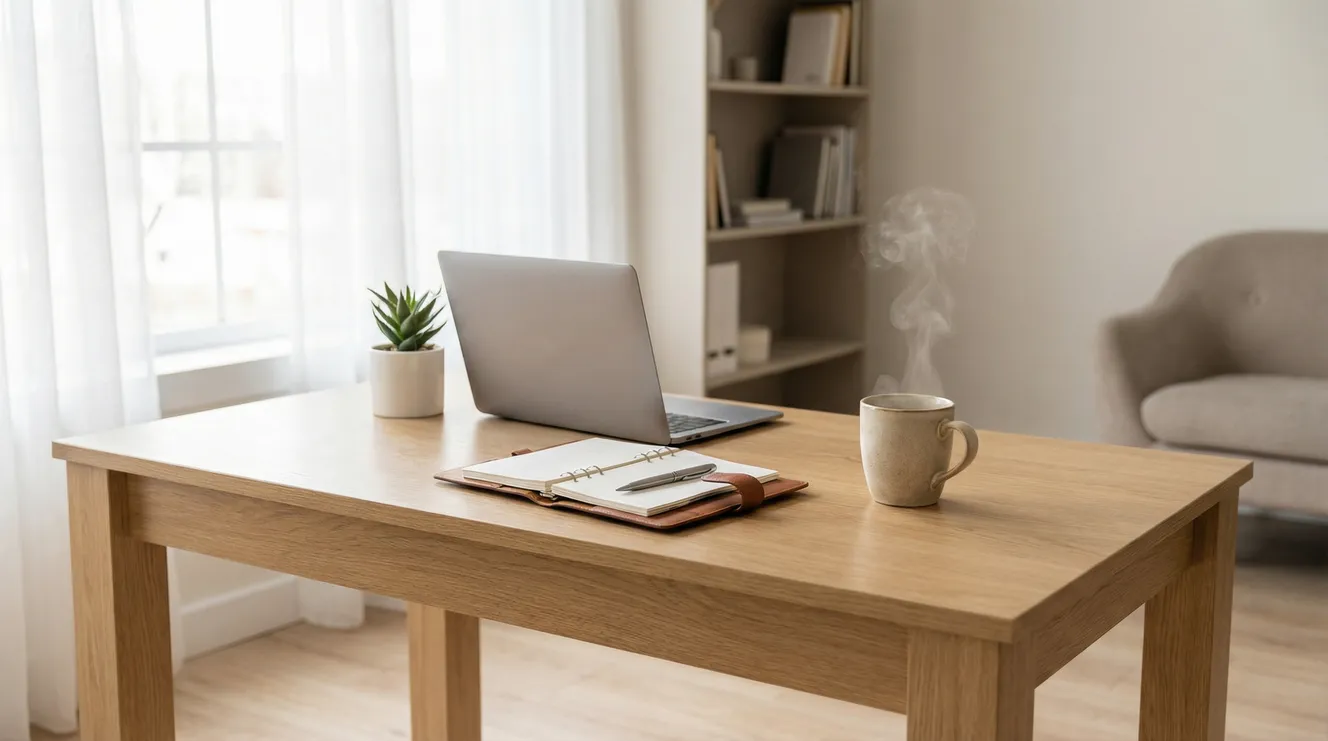
The organization systems that determine whether remote work liberates or imprisons you aren’t digital tools or color-coded planners—they’re architectural boundaries that prevent the entropy of domestic life from colonizing your professional cognition. When your kitchen becomes your conference room, the cognitive load of context-switching between “home mode” and “work mode” increases exponentially, requiring active boundary construction rather than passive reliance on physical separation. Yet research from occupational psychology studies indicates that 67% of remote workers struggle with work-life boundary management, with “organizational challenges” cited as the primary driver of remote work burnout, surpassing even isolation or technological friction.
This boundary failure creates a unique exhaustion: you’re simultaneously neglecting your work because the laundry is visible and neglecting your home because the inbox is endless. The “always available” expectation blurs into “always working” reality, while domestic entropy—dishes, clutter, household maintenance—creates a visual noise that open-plan offices never allowed near your desk. Understanding how to construct organizational scaffolding in a boundaryless environment—how to create transitions, protect attention, and separate domains without physical walls—transforms you from a distracted tenant in your own home into an architect of focused productivity.
The Spatial Protocol: Physical Boundaries in Shared Territory
The most critical organizational decision in remote work isn’t your task management app—it’s the physical demarcation of work territory. Neuroscience research demonstrates that environment cues trigger cognitive modes; when you work from the same couch where you binge Netflix, your brain struggles to activate professional focus. Creating a dedicated workspace, even if it’s just a specific chair at the dining table that faces away from the kitchen, establishes spatial boundaries that signal “work mode” to your subconscious.
The “container principle” organizes this spatially: your work materials must fit within a container that closes. If you work at the kitchen table, your laptop, notebook, and chargers live in a bin that deploys at 9 AM and retreats to a closet at 5 PM. This isn’t just tidiness; it’s cognitive hygiene. The visual presence of work materials during off-hours creates ambient stress, the sensation that you should be working because the tools are staring at you. Containerization allows physical completion—the ritual of putting work away that replaces the commute home.
For those in small spaces where dedicated rooms are impossible, the “transformation ritual” creates temporal boundaries through physical change. A folding screen that blocks the bed during work hours. A specific lamp that, when illuminated, signals “do not disturb” to household members. A bluetooth speaker that plays specific music only during work blocks. These sensory cues create artificial environmental shifts that compensate for the lack of geographic separation between office and home.
The Micro-Office Matrix
The Closet Conversion: 3×4 foot reach-in closet converted to standing desk; doors close to hide work completely; uses vertical space for storage
The Transformer: Wall-mounted drop-leaf desk that folds flat; work supplies in rolling cart that tucks into corner; room returns to living space after hours
The Zoning: Specific corner of studio apartment with distinct rug, lamp, and room divider; never used for non-work activities
The Mobile Command: Laptop and supplies in dedicated backpack; moves between coffee shop, library, and home desk; creates variety while maintaining organizational system
The Temporal Architecture: When Boundaries Replace Walls
Without the external structure of office hours, remote workers oscillate between two failures: the “always on” pattern where work bleeds into evenings because there’s no physical departure, and the “continuous partial work” pattern where you never fully engage because household distractions fragment attention. The solution is constructing rigid temporal boundaries that are even more strict than office requirements—because you must compensate for the lack of environmental separation.
The “synthetic commute” replaces the transition ritual that offices provide. Create a 15-minute buffer at day’s start and end: a walk around the block, a meditation session, or simply the physical act of showering and dressing (actual clothes, not “zoom shirts” paired with sweatpants). This isn’t motivational fluff; it’s neurological boundary setting. The commute serves to transition the brain between modes; without it, you carry domestic stress into work and professional stress into sleep.
Time-blocking becomes survival infrastructure rather than productivity optimization. When you work from home, you must explicitly schedule “household maintenance” blocks (laundry, dishes, organizing) or they will colonize your work time through guilt and visibility. Conversely, you must schedule “hard stops”—literally setting an alarm for 5:30 PM—that force work cessation. The time-tracking data from remote workers shows that those without explicit stop times average 11-hour workdays, not through productivity but through inefficiency and boundary collapse.
The Interruption Firewall
Domestic interruptions differ from office interruptions. Colleagues generally respect “in meeting” statuses; family members see you physically present and assume availability. You must create explicit interruption protocols: a physical sign on the door (red side/green side), noise-canceling headphones that signal “do not speak to me unless bleeding,” or specific “office hours” when you’re available for household coordination versus “deep work blocks” when you’re functionally absent.
The “interruption log” technique manages the guilt of inaccessibility. Keep a notepad for household members to write non-urgent requests rather than verbalizing them. Promise to review the log at lunch and end-of-day. This satisfies the need for coordination without breaking flow states. For parents with children at home, this system is survival; without it, every “Mom, can I…” destroys professional cognitive load.
Digital Hygiene: When Your Home Is Your Server Room
Physical organization fails without digital boundaries. The laptop that contains your work also contains your Netflix, your family photos, and the infinite scroll of social media. Without the organizational constraints of corporate IT (blocked sites, separate devices, network monitoring), you must construct your own digital architecture.
Separate user accounts on your computer create digital walls. Your “Work” account has Slack, Excel, project management tools, and a browser with work bookmarks only. Your “Personal” account has streaming services, games, and personal email. The 30-second logout/login friction prevents the “quick check” of Instagram that devours 45 minutes. Similarly, use distinct browser profiles or even separate browsers (Chrome for work, Firefox for personal) with different bookmark bars, extensions, and login states.
Notification segregation is critical. Turn off all non-work notifications during work blocks—family group texts, personal email, news apps. The “attention residue” research from Cal Newport’s work on deep work shows that even ignoring a notification degrades subsequent cognitive performance for 15-20 minutes. Use “Do Not Disturb” modes aggressively, with only specific work contacts able to break through.
The Digital Sunset Protocol
5:30 PM: Close all work applications, log out of work user account
5:35 PM: Enable app blockers on work email/Slack until 8 AM (Freedom, Cold Turkey, or built-in Screen Time)
5:40 PM: Physical shutdown ritual—close laptop, place in bag or drawer, say “work is closed” aloud
Evening: Use separate tablet or phone for entertainment; work laptop remains closed
The Domestic Entropy Defense: Managing Visual Noise
Offices have cleaning crews; homes have you, and the visual presence of undone domestic tasks creates cognitive load. The dirty dishes visible from your “desk” (kitchen table) create attention residue—the background process in your brain monitoring the mess, planning when to address it, judging yourself for it. This environmental guilt degrades work focus while the workday prevents addressing the mess, creating a lose-lose tension.
The “tidy surface” rule maintains minimal visual chaos. Your workspace must remain clear of domestic clutter—no laundry piles, no mail stacks, no random objects that migrated there. This isn’t about perfection; it’s about creating a professional visual field that doesn’t compete for attention. Use the “two-minute rule” during transition breaks: if a domestic task takes under two minutes (putting dishes in dishwasher, hanging a shirt), do it immediately during workday micro-breaks rather than letting it accumulate.
Scheduled “environmental maintenance” prevents the weekend avalanche. Block 30 minutes daily (7:30-8:00 AM or during lunch) for household tidying, rather than letting it pile up until Saturday. This keeps visual noise manageable without derailing deep work blocks. For those with families, the “everyone contributes” rule is non-negotiable—you cannot work from home sustainably while also maintaining the household alone; the domestic labor must be redistributed or outsourced.
The Social Interface: Managing Human Boundaries
Friends and family often misunderstand “working from home” as “available for favors, long calls, or emergency babysitting.” You must educate your social network that physical presence does not equal availability. This requires explicit boundary-setting conversations: “I know I’m home, but 9-5 I’m functionally at the office. I can’t accept deliveries for you, I can’t chat when you see my car in the driveway, and I can’t watch your kids unless it’s a true emergency.”
The “office hours” sign—literal or verbal—communicates this to household members. Children old enough to read can understand “Red means working, green means available.” Partners must respect the workspace as off-limits for non-urgent conversation, just as they wouldn’t stroll into a corporate office to discuss dinner plans.
Conversely, you must protect home relationships from work colonization. The “just real quick” email check at 9 PM or the laptop open during family movie night signals that work has no boundaries. Use the same discipline in reverse: when the workday ends, the laptop closes, the phone goes to another room, and you are fully present for domestic life. The blurring must be managed in both directions.
You Are the Architecture
The organization required to work from home effectively isn’t about Marie Kondo-ing your drawers or buying the perfect planner—it’s about constructing artificial boundaries that replace the external structure of the traditional workplace. When you eliminate the commute, the office, and the physical separation between domains, you must become the architect of those separations, building them through ritual, spatial designation, and temporal discipline.
Your power to thrive in remote work doesn’t come from location independence; it comes from the self-governance to create constraints that protect your attention, your relationships, and your sanity. You can be the remote worker who is always frazzled, always “just checking email,” always surrounded by the clutter of a life that has no boundaries. Or you can be the one who closes the laptop at 5:30, who has a dedicated workspace that disappears after hours, who protects deep work like a precious resource.
The choice is yours. Start with one boundary: the morning walk that replaces your commute, the closed door that signals focus time, the separate user account that divides work from play. Build the walls that no longer exist in physical space, and defend them against the constant pressure of a world that thinks “home” means “available.” Your living room is your office now—organize it like a professional, work in it like a focused craftsman, and leave it like you’re going home, even when you’re already there.
Key Takeaways
Physical containerization—dedicated workspaces with closure rituals—replaces the environmental separation lost when working from home, preventing the “always at work” cognitive state.
Synthetic commutes and strict temporal boundaries (hard stops, scheduled domestic blocks) create the transition rituals that offices naturally provide but home environments lack.
Digital hygiene through separate user accounts, browser profiles, and aggressive notification management prevents the device multitasking that destroys deep work capacity.
Visual noise management via daily “tidy surface” maintenance and two-minute task handling prevents domestic entropy from creating background cognitive load during work hours.
Explicit social boundary-setting with household members and friends is required to educate others that physical presence does not equal availability for interruption or favors.