
Category: Small Business Operations

  • Managing Customer Inquiries When You’re a One-Person Operation

    Managing Customer Inquiries When You’re a One-Person Operation

    “`html

    The Invisible Switchboard: Managing Customer Inquiries When You Are the Entire Department

    The notification pings while you’re elbow-deep in a client project. Then again during dinner. Again at 11 PM when you’re trying to sleep. By morning, fourteen unread messages sit across three platforms—two urgent complaints, one potential enterprise client, six routine questions, three spam attempts, and one confusing voice mail that requires callback research. There is no “customer service team.” There is only you, toggling between creator and clerk, strategist and switchboard operator, trying to build the business while keeping it from burning down.

    The relationships that determine whether your solo venture survives aren’t managed in CRM strategy meetings or outsourced call centers—they’re negotiated in the margins of your day, between deliveries and invoicing, often while you’re supposed to be doing the actual work that generates revenue. Customer inquiry management in a one-person operation isn’t a department; it’s a cognitive tax levied on every other function of your business. Yet research from small business service studies indicates that solo operators spend an average of 23 hours weekly on customer communication—nearly half their working hours—often at the expense of product development and business growth.

    This capacity trap creates a brutal paradox: the more successful your marketing, the more inquiries you generate, the less time you have to fulfill the promises that generated the inquiries in the first place. While corporate competitors enjoy specialization—sales teams qualifying leads, support agents handling complaints, account managers nurturing relationships—you play every position simultaneously. Understanding how to architect inquiry workflows that protect your sanity while preserving the personal touch that differentiates solo operations—transforms you from a reactive pinball into a strategic operator who controls the conversation.

    The Bottleneck Effect: Why Solo Communication Breaks Down

    Every inquiry in a one-person business flows through a single biological processor—your brain—creating a constraint that no amount of hustle can resolve. Unlike manufacturing bottlenecks that can be solved with machinery, communication bottlenecks involve context-switching costs that compound exponentially. Each ping pulls you from deep work into shallow responsiveness, destroying the flow states necessary for quality output.

    The damage isn’t just temporal; it’s psychological. Solo operators develop “inquiry anxiety”—a persistent hypervigilance where you cannot fully disengage from communication channels for fear of missing urgent requests. This creates a state of continuous partial attention, where even during “off hours,” part of your cognitive capacity remains dedicated to monitoring. Studies on cognitive load and task switching demonstrate that even the anticipation of interruption degrades performance on complex tasks—a solo operator’s constant reality.

    The quality degradation follows a predictable curve. During low-volume periods, you provide thoughtful, personalized responses that build strong relationships. As volume increases, response quality drops—first in tone (becoming curt), then in accuracy (missing details), finally in speed (ghosting entirely). Customers experience this as inconsistency, interpreting delayed replies as negligence rather than capacity constraints. The personal brand you built on attentive service erodes precisely because demand exceeded your ability to maintain that standard.

    The Solo Operator Communication Trap

    Stage 1 (0-10 inquiries/week): Personalized responses, rapid turnaround, relationship building—sustainable

    Stage 2 (11-30 inquiries/week): Rushed responses, delayed replies, weekend work—manageable but stressful

    Stage 3 (31-50 inquiries/week): Template responses, frequent follow-ups required, errors increase—crisis mode

    Stage 4 (50+ inquiries/week): Selective response, missed opportunities, customer churn, burnout—unsustainable

    The Triage Protocol: Categorization Without a Team

    Emergency rooms don’t treat patients in order of arrival; they triage by severity. Solo operators must implement similar triage systems, but without the luxury of nursing staff to handle initial assessment. This requires creating “filters” that sort inquiries before they reach your attention, preserving cognitive capacity for high-value interactions.

    The first filter is channel separation. Route different inquiry types to different platforms based on urgency and complexity. Urgent technical support might route to SMS; general questions to a FAQ page; sales inquiries to a scheduling calendar; complex consultations to email. This prevents the “everything in one inbox” chaos that forces constant context switching. Tools like Zapier or Make can automatically sort incoming messages based on keywords, sender domains, or form fields, tagging high-priority contacts or routing routine requests to auto-responses.

    The second filter is qualification. Solo operators cannot afford to spend hours nurturing leads that will never convert or providing free consulting to price shoppers. Implement “friction” that requires effort from inquirers—detailed contact forms rather than open email addresses, paid discovery calls rather than free consultations, or required reading of service descriptions before booking. This self-selection filter ensures that when you do engage, you’re investing time in serious prospects rather than casual browsers.

    The Response Matrix

    Create explicit response-time expectations based on inquiry value. A current client with a crisis receives same-day response; a warm lead receives 24-hour response; a cold inquiry receives 48-72 hour response or automated funnel enrollment. This tiering prevents high-value relationships from suffering due to volume of low-value interactions. Document these SLAs (Service Level Agreements) privately—even if not shared publicly—to hold yourself accountable to strategic priorities rather than inbox chronology.

    Inquiry Category Response Time Handling Method Deflection Strategy
    Current Client Crisis Same day (2-4 hours) Personal response, phone if needed None—priority queue
    Warm Lead (Referred/Repeat) 24 hours Personalized template + calendar link Auto-responder sets expectations
    Cold Inquiry (Service Match) 48-72 hours Qualifying questions + resources FAQ link, pricing guide attachment
    Scope Mismatch 72 hours or decline Referral to other providers Automatic “not a fit” template
    Administrative/Repeat Automated Knowledge base, video links, templates Self-service portal, chatbot

    The Automation Boundary: What to Script vs. What to Humanize

    Solo operators face a temptation to automate everything—auto-responders, chatbots, scheduling links—in hopes of reclaiming time. But excessive automation destroys the competitive advantage of being a real person who actually cares. The art lies in automating the routine without mechanizing the relationship.

    Informational automation serves everyone. If 40% of your inquiries ask about pricing, turnaround time, or availability, these answers should live on your website, in auto-responders, or within appointment booking flows. This isn’t coldness; it’s respect for your time and theirs. However, relational moments—complaints, complex custom requests, or high-value sales—require human judgment. A template response to an angry customer feels insulting; the same template confirming receipt of a routine scheduling request feels efficient.

    The “human handoff” technique preserves warmth while leveraging efficiency. Use automation to handle initial intake (“Thanks for reaching out. To serve you best, please answer these three questions…”), then personally review the responses and craft the actual reply. This filters serious inquiries from spam, ensures you have necessary context before drafting responses, and prevents the cognitive load of facing a blank reply screen. Tools like ActiveCampaign or HubSpot allow this hybrid approach at solo-operator price points.

    The Automation Litmus Test

    Automate This: Appointment scheduling, payment reminders, FAQ responses, delivery confirmations, receipt of document acknowledgments

    Hybrid Approach: Initial inquiry responses (automated receipt + personal follow-up), onboarding sequences (automated resources + personal check-in), proposal follow-ups

    Never Automate: Complaint resolution, custom project scoping, relationship check-ins with top clients, bad news delivery (delays, price increases, mistakes)

    Boundary Architecture: Protecting Your Sanity While Serving Customers

    The absence of explicit boundaries doesn’t create freedom; it creates anxiety. When customers can reach you “anytime,” you remain mentally on-call constantly. Solo operators must architect boundaries as rigorously as they architect products—communicating availability clearly and enforcing it consistently.

    “Office hours” work even for digital businesses. Specify response times in your auto-responder (“I check messages weekdays between 9 AM and 5 PM EST”) and stick to them. This prevents the 11 PM “quick check” that derails your evening and trains clients to respect your time. Urgent exceptions should be rare and defined—perhaps only for current projects in active production, not for prospects or past clients.

    The “communication budget” approach treats inquiry responses as a finite resource. Allocate specific blocks for customer communication—say, 90 minutes at 10 AM and 30 minutes at 4 PM—rather than continuous monitoring. Turn off notifications outside these windows. If an inquiry arrives at 2 PM, it waits until the 4 PM block. This batch processing reduces context-switching costs and protects deep-work periods necessary for actually delivering your services.

    The Hard No: Declining Inquiries Strategically

    Not every inquiry deserves a response, and not every response should lead to a project. Solo operators must develop “referral networks”—other providers who handle work outside your niche, price range, or capacity. When an inquiry arrives that’s not a fit, a polite decline with a referral (“This isn’t my specialty, but Sarah handles exactly this type of project”) maintains goodwill while protecting your schedule. This feels counterintuitive (turning away money!), but taking ill-fitting projects destroys capacity for ideal clients and creates resentment that poisons the work.

    The Template Library: Efficiency Without Robotic Tone

    Templates don’t create generic service; they create consistent quality. The key is developing “modular” templates—standardized frameworks with customizable sections—rather than fully canned responses. This maintains your voice while eliminating the blank-page paralysis of drafting each reply from scratch.

    Organize templates by inquiry type: initial response, pricing discussion, scope creep negotiation, deadline extension requests, conflict resolution, and project closure. Each should include placeholders for personalization (referencing specific project details, acknowledging previous conversation points) surrounded by standard language that ensures you hit key points (timeline expectations, next steps, boundaries).

    Tools like TextExpander or even Gmail’s Canned Responses allow you to insert these templates with shortcodes (typing “;intro” expands your full introduction and availability). Review and refresh templates quarterly—language that felt warm six months ago may now sound stale, or your process may have evolved while your templates lagged behind.

    Channel Strategy: Where to Be Available (and Where to Hide)

    Solo operators cannot maintain presence across all platforms. Each channel you offer—email, phone, text, Instagram DM, website chat, WhatsApp—multiplies the complexity of monitoring and response. Strategic unavailability on some platforms is as important as presence on others.

    Email remains the essential baseline—archivable, asynchronous, and professional. However, consider making your email address less visible than a contact form with qualifying questions. Phone availability should be limited to scheduled calls only; publish a Calendly or Acuity link rather than a phone number that invites interruption. Social media DMs should be disabled for business accounts (or auto-responded with “Please email for fastest response”) to prevent the fragmentation of managing conversations across platforms.

    The “funnel” approach directs all roads to one manageable channel. Your website, social profiles, and business cards should drive traffic to a single point of entry—ideally a scheduling page or contact form that feeds into your organized triage system, rather than scattering inquiries across voicemail, text, and three email addresses you check with varying frequency.

    Platform Selection for Solo Operators

    Primary Channel (Monitored Daily): Business email with organized folders/labels; project management tool comments (if client-facing)

    Secondary Channel (Monitored Weekly): Social media comments (public only); general website contact form

    Scheduled Only: Phone calls, video conferences, in-person meetings

    Disabled/Automated: Social DMs, website chat (unless using AI chatbot for qualifying), text messages (unless emergency line)

    The Sustainability Metrics: When to Hire or Systematize

    There comes a point where no amount of templating or automation resolves the fundamental constraint: you have only 24 hours, and sleep is non-negotiable. Recognizing this threshold before you burn out requires tracking “communication debt”—the accumulated lag between inquiry and response.

    If your average response time exceeds 48 hours for high-priority inquiries, if you’re working weekends exclusively to catch up on email, or if you’re making errors due to rushed responses, you’ve crossed into unsustainable territory. At this point, you have three options: raise prices to reduce volume (paradoxically often increasing revenue while decreasing inquiries), productize services to reduce customization questions, or hire support—starting with a part-time virtual assistant (VA) to handle Tier 1 inquiries.

    The VA transition requires front-loaded investment—you must document your voice, decision criteria, and common responses before handing them off. But a VA handling 60% of routine inquiries can restore your capacity for the high-value work that actually requires your expertise. Platforms like Belay or Time Etc specialize in placing VAs with solo entrepreneurs, though the onboarding burden remains significant.

    You Are the Infrastructure

    The customer inquiries flooding your inbox aren’t interruptions to your business; in many ways, they are your business—the relationships that generate revenue, the feedback that improves offerings, the network that creates sustainability. But treating every ping as equally urgent, every question as equally important, and every platform as equally mandatory creates a reactive chaos that prevents strategic growth.

    Your power to thrive as a solo operator doesn’t come from being constantly available; it comes from being strategically responsive. The triage system that sorts gold from gravel, the boundaries that protect your creative energy, the templates that preserve consistency without losing warmth—these aren’t corporate luxuries but survival necessities when you are the entire organization.

    The choice is yours. You can remain the switchboard operator, jumping between channels, apologizing for delays, and slowly burning out. Or you can architect a communication system that respects both your customers and your humanity—one that acknowledges you’re a human being running a business, not a business pretending to be a faceless corporation. Start with one boundary: one platform to disable, one auto-responder to set up, one template to write. Reclaim an hour. Then another. Your best work happens in the space between interruptions—guard that space like the revenue-generating asset it is.

    Key Takeaways

    Solo operators face unique cognitive taxation from context-switching between deep work and customer communication, requiring triage systems that filter inquiries by value and urgency.

    Strategic automation preserves the personal touch while eliminating routine tasks—automate information delivery, never relationship management or complaint resolution.

    Explicit boundaries (office hours, response timeframes, channel availability) prevent burnout and train clients to respect your time as a finite resource.

    Modular templates and text expansion tools create efficiency without robotic tone, allowing consistent quality while reducing drafting time.

    Sustainability metrics (response lag, weekend work requirements, error rates) signal when to raise prices, productize services, or hire support rather than pushing through exhaustion.

    “`
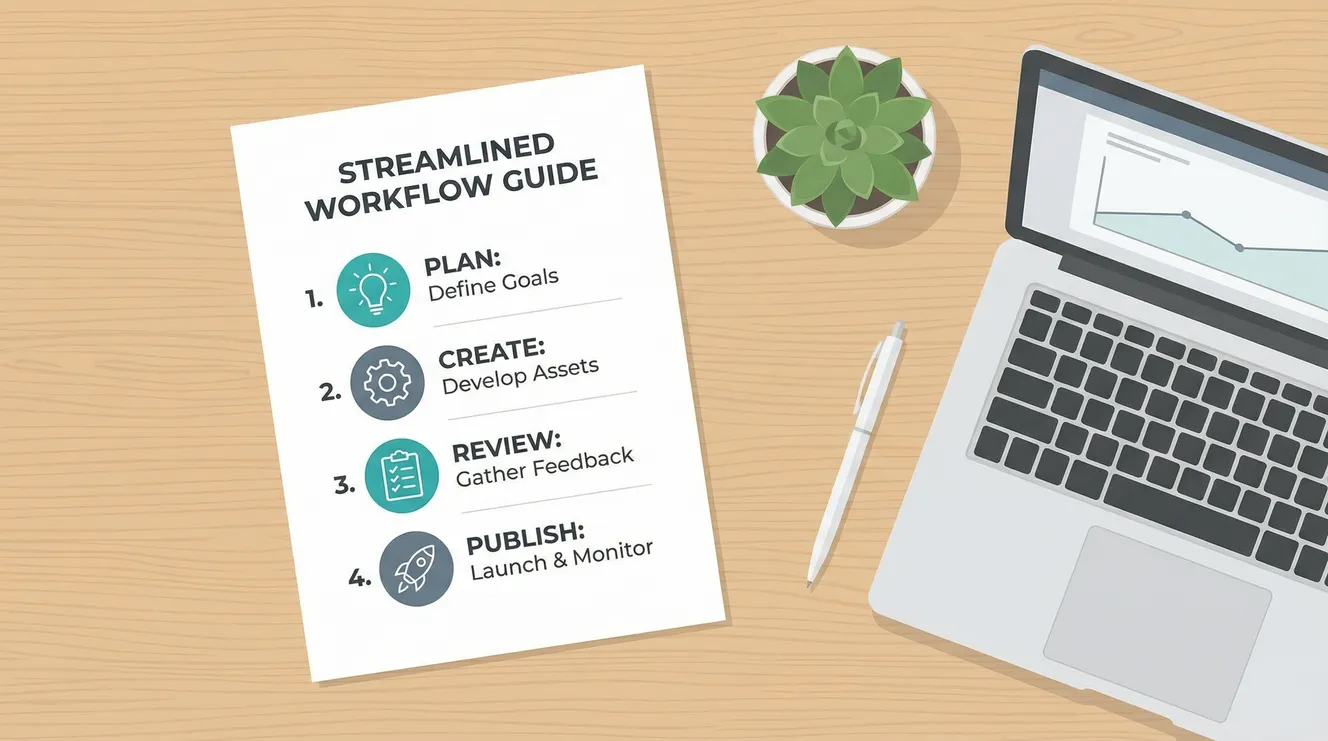
  • How to Create Standard Operating Procedures Without Overcomplicating Things

    How to Create Standard Operating Procedures Without Overcomplicating Things

    “`html

    The Process That Kills Progress: Creating Standard Operating Procedures Without the Bureaucratic Bloat

    The binder sits on the shelf, three inches thick, labeled “Operations Manual 2023.” It contains 147 pages of meticulously documented procedures, flowcharts, and approval matrices. Nobody has opened it since the consultant delivered it six months ago. Meanwhile, your new hire just spent forty-five minutes wondering how to process a refund because the “official” procedure requires seventeen steps and three signatures for a $25 transaction. This is the documentation paradox: the more carefully you codify process, the more effectively you kill the initiative it was meant to support.

    The procedures that determine whether your business runs smoothly aren’t created in off-site retreats or strategic planning sessions—they’re scribbled on sticky notes, saved as half-finished Google Docs, or exist solely in the heads of employees who “just know” how things work. Standard Operating Procedures (SOPs) promise consistency, scalability, and risk mitigation, yet research from operational efficiency studies indicates that 60% of documented procedures in small businesses go unused, while critical institutional knowledge remains unwritten, walking out the door when key employees leave.

    This capture gap creates a dangerous polarity: teams either operate in chaos with no guidance, or they drown in documentation so rigid it prevents intelligent adaptation. While founders obsess over perfecting their “playbooks” to impress investors or satisfy certification requirements, the actual work gets done through shadow processes that bear no resemblance to the official record. Understanding how to document operations without fossilizing them—capturing knowledge without killing judgment—transforms you from a curator of obsolete binders into an architect of adaptive systems.

    The Documentation Trap: Why SOPs Become Shelfware

    Every SOP carries an hidden cost: maintenance. The moment you write down “how we do things,” you create an artifact that requires updating as reality shifts. Most businesses respond to this burden by either abandoning updates (rendering documents dangerously obsolete) or avoiding documentation altogether (preserving flexibility but sacrificing scalability). The trap lies in mistaking comprehensiveness for usefulness—believing that a procedure must account for every edge case to be valid.

    Consider the typical onboarding SOP. Written by HR with legal oversight, it includes forty-seven steps covering parking pass acquisition, email signature formatting, and emergency exit procedures. Buried within this compliance theater are the three actual critical steps: how to access the project management system, who approves expense reports, and where to find the style guide. New employees spend their first day checking boxes on irrelevant tasks while remaining unable to perform their actual function. The procedure documented everything and prioritized nothing.

    This bloat stems from confusion between training materials and reference materials. Training SOPs walk someone through a process step-by-step, assuming zero prior knowledge. Reference SOPs assume competency and provide guardrails for edge cases. Conflating these creates documents that insult the intelligence of experienced staff while remaining too dense for beginners. The result is a format that serves nobody—a too-long checklist that employees skim then ignore, or a too-brief outline that misses critical safety checks.

    The Shelfware Spectrum: Where Documentation Dies

    The Compliance Codex: Written for auditors, not users; full of “shall” statements and legal padding; updated only for certification renewals

    The Consultant’s Cathedral: Beautifully formatted, process-mapped, and utterly disconnected from ground reality; created by outsiders who interviewed rather than observed

    The Legacy Relic: Accurate for the business as it existed three years ago; contains references to software no longer used and employees who have departed

    The Frankenstein File: Patched together by twelve different authors over five years; contradictory instructions depending on which section you read

    Minimum Viable Procedure: The Art of Just Enough

    Effective SOPs follow the Pareto principle: 20% of the instructions prevent 80% of the errors. The Minimum Viable Procedure (MVP) approach documents only the critical path—the sequence of actions that must occur in order, with specific attention to irreversible steps and safety-critical checks. Everything else becomes context, training, or tribal knowledge that experienced operators maintain organically.

    Atul Gawande’s Checklist Manifesto demonstrated that even surgeons performing complex procedures benefit most from simple checklists covering critical safety steps, not comprehensive step-by-step guides. The same applies to business operations. Your customer refund procedure doesn’t need to explain what a refund is or how to open the browser; it needs to verify account standing, confirm refund method, and document the reason before processing. Three checks, not thirty steps.

    The MVP approach also recognizes procedural tiering. Not every task requires the same documentation rigor. Use the “burn rate” test: if performing this task incorrectly costs significant money, legal exposure, or customer trust, it merits detailed documentation. If the error is reversible within five minutes, a brief reference note suffices. If the task requires creative judgment (writing marketing copy, designing solutions), documentation should specify outcomes and constraints rather than methods, preserving the autonomy that makes the work effective.

    The One-Page Constraint

    Impose a physical limit: if a procedure cannot be captured on a single page (digital or physical), it requires decomposition into sub-procedures. This constraint forces prioritization. When a manufacturing team at Toyota was asked to document equipment changeover, they initially produced a 40-page manual. Forced to reduce it to one page using the SMED (Single-Minute Exchange of Dies) methodology, they identified that only eight specific steps required sequencing; the rest were preparatory work that could occur while the machine ran. Changeover time dropped from hours to minutes not because they worked faster, but because the simplified procedure revealed inefficiencies in the complex version.

    Complexity Level Documentation Format Update Frequency Example
    Critical Safety/Legal Checklist with sign-offs; no ambiguity Quarterly audit Data backup verification; safety lockout
    Operational Standard Bullet points with decision trees Bi-annual review Invoice processing; client onboarding
    Reference Guidance Annotated template or video As needed Email tone guidelines; formatting standards
    Tacit Knowledge Shadowing assignment; mentorship Continuous Negotiation tactics; design intuition

    Format Wars: Choosing the Right Medium for the Message

    The default mode of procedure documentation—Microsoft Word files saved to shared drives—represents the least effective possible choice. Static documents separate process from practice, requiring users to toggle between the work and the instructions. Modern SOPs live where work happens: embedded in project management tools (Asana, Monday.com), attached to specific stages in CRMs (Salesforce, HubSpot), or integrated directly into software interfaces through tooltips and guided workflows.

    Video SOPs resolve the “show versus tell” dilemma for physical or software-based tasks. A two-minute screen recording of the accounting software workflow conveys more accurate information than three pages of written instructions attempting to describe menu locations. Tools like Loom or Scribe automatically generate step-by-step guides from recordings, combining the clarity of video with the scannability of text. However, video ages poorly when interfaces change; use it for stable processes or principles, written checklists for version-dependent steps.

    Decision trees handle complex branching logic better than linear documents. When a customer service query could result in refund, replacement, or escalation depending on five variables, a flowchart prevents the cognitive overload of parsing “if/then” paragraphs. Simple tools like Lucidchart or even nested bullet points create visual logic that mirrors how humans actually troubleshoot. The goal is reducing working memory load—externalizing the decision logic so the operator can focus on execution quality.

    The Format Selection Matrix

    Use Checklists When: Sequence matters, skipping steps causes failure, and verification is required (safety, compliance, data entry)

    Use Video When: Spatial/visual elements dominate, software interfaces change infrequently, or tone/delivery matters (customer interactions)

    Use Flowcharts When: Multiple branching paths exist based on variable conditions, and decisions require if/then logic

    Use Templates When: The output must be consistent (documents, code, responses) but the path to completion varies by user

    The Resistance Factor: Implementation Without Friction

    The best procedure in the world fails if employees actively avoid it. Resistance typically signals that the SOP adds work without adding value, or that it represents a loss of autonomy. Overcoming this requires involving operators in the creation process—those who perform the work daily know which steps are critical and which are ceremonial legacy. When a warehouse team helps write the receiving procedure, they ensure it accounts for real-world constraints like pallet jack availability and seasonal volume spikes that a manager in an office would miss.

    Accessibility determines adherence. If the procedure lives in a binder across the warehouse or buried three folders deep in a file structure, workers will rely on memory rather than walk to retrieve it. Mobile-first documentation—QR codes on equipment linking to short videos, tablet-mounted checklists at workstations, or chatbot-accessible commands—integrates the SOP into the workflow rather than interrupting it.

    The Positive Deviation

    Effective SOPs include a “positive deviation” clause—explicit permission to bypass the procedure when circumstances warrant, combined with a feedback mechanism to capture the improvement. This prevents the僵化 (stiffness) that makes procedures oppressive. When a technician discovers a faster calibration method that maintains accuracy, they should have authority to use it and a channel to propose updating the standard. Without this valve, employees follow broken procedures out of fear, or hide improvements to avoid “process police.”

    Organizations like Alcoa under Paul O’Neill demonstrated that safety procedures gain adherence not through enforcement but through relevance—when workers see that following the procedure genuinely prevents injury, compliance becomes cultural rather than compulsory. The same applies to quality and efficiency procedures: they must demonstrably make work easier or safer, not merely satisfy managerial control needs.

    Indicators of Procedural Resistance

    Workarounds: Shadow spreadsheets, personal checklists, or “cheat sheets” circulating among staff indicate the official procedure is unusable

    CYA Culture: Employees citing procedure to avoid decision-making suggests documentation has replaced judgment rather than informing it

    Training Gap: New hires require weeks to become “fully trained” on simple tasks indicates over-complexity in the documented process

    Audit Anxiety: Panic before inspections to “update the binders” reveals that documentation serves regulators rather than operators

    Living Documents: Maintenance Over Perfection

    The half-life of a procedure approximates the rate of change in your business. In startups, SOPs may require monthly updates; in stable manufacturing, annual reviews suffice. The fatal error is treating documentation as a project (“we documented the processes”) rather than a practice (“we maintain living documentation”). Assign ownership—specific individuals responsible for specific procedures, with review dates calendared like dental appointments.

    Version control prevents the chaos of conflicting copies. Cloud-based tools like Notion, Tettra, or Confluence maintain history and prevent the “which version is correct” ambiguity of shared drives. More importantly, they allow comments and suggestions, turning procedure maintenance into a conversation rather than a decree. When the person on the front line notices that Step 3 is now obsolete due to software updates, they can flag it immediately rather than waiting for the annual review.

    The “sunset clause” prevents accumulation of obsolete procedures. Every SOP should include a “last verified” date and an expiration date. If a procedure hasn’t been referenced in six months, archive it. If the business has changed but the document hasn’t, investigate whether the process is still occurring or has simply evolved without documentation. Procedures are organizational habits—if nobody is following them, they aren’t real procedures regardless of what the binder says.

    Practical Strategies: Documentation That Actually Gets Used

    Understanding documentation theory is useless without concrete habits. Here are implementation strategies that separate functional SOPs from bureaucratic theater.

    Start With Friction Logs

    Don’t begin by writing procedures; begin by recording “friction logs”—notes on where confusion, errors, or delays actually occur. If employees consistently mess up the expense report, document that specific pain point rather than documenting all HR procedures. This triage ensures you invest documentation effort where it returns value, creating immediate relief for operators rather than abstract completeness for managers.

    Write for the Stressed Operator

    Document assuming the reader is interrupted, sleep-deprived, and new. Use imperative verbs (“Verify,” “Confirm,” “Attach”) not passive voice (“It is important that…”). Put warnings before instructions, not after (“WARNING: Archive the old file BEFORE creating the new one”). Use formatting—bold for critical warnings, italics for context, bullet points for options. The stressed brain scans; structure for scannability.

    Test With Naive Users

    The creator of a procedure cannot objectively evaluate its clarity; they know too much. Test documentation with someone who has never performed the task—ideally, someone outside your department. If they can complete the task using only the SOP (no questions, no assumptions), the document works. If they ask “do they mean…?” or skip steps because “obviously you wouldn’t do it that way,” the procedure needs revision.

    Link, Don’t Duplicate

    When Step 4 of the sales process requires using the CRM, don’t write out the CRM procedure again—link to it. Duplication creates maintenance nightmares; when the CRM updates, you must find every document mentioning it. Hyperlinks (or references in physical documents: “See CRM Guide p. 3”) create modular systems where updates propagate automatically.

    Your Processes Are Already Written—In Behavior

    The standard operating procedures that actually govern your business aren’t found in binders; they’re encoded in the muscle memory of your best employees, the shortcuts your team has developed to survive inefficiency, and the undocumented hacks that keep the lights on. Your job isn’t to invent procedures from scratch—it’s to capture what’s already working, codify the critical safety checks that prevent disasters, and get out of the way of the judgment your people need to exercise.

    Your power to scale without chaos doesn’t come from comprehensiveness. It comes from clarity—the discipline to document only what must be remembered, to maintain that documentation where work happens, and to treat your procedures as servants of the work rather than masters of the workers. You can be the organization that drowns in three-ring binders that everyone ignores, or you can be the team that shares sharp, one-page checklists that actually prevent errors.

    The choice is yours. Start with one friction point. Document the critical path in one page. Put it where people can use it without stopping their work. Test it with someone new. Update it when reality changes. Stop documenting for the audit, start documenting for the operator. Your future self—facing an unexpected absence, a scaling crisis, or a sale of the business—will thank you for systems that capture knowledge without killing the initiative that created it.

    Key Takeaways

    Most documented procedures fail because they confuse comprehensiveness with usefulness, creating shelfware that serves compliance audits rather than operating needs.

    Minimum Viable Procedures (MVPs) focus only on the critical 20% of steps that prevent 80% of errors, using one-page constraints to force prioritization of irreversible actions.

    Format selection should match content: checklists for sequential safety steps, video for visual/spatial tasks, flowcharts for branching logic, and embedded documentation for software workflows.

    Procedural adherence requires operator involvement in creation, mobile accessibility, and explicit permission for positive deviation when circumstances warrant improvement.

    Documentation is a continuous practice, not a project; effective SOPs require ownership, version control, sunset clauses for obsolete procedures, and regular testing with naive users.

    “`

  • Setting Up a Business Email That Looks Professional

    Setting Up a Business Email That Looks Professional

    “`html

    The Address That Signals Credibility: Setting Up a Business Email That Opens Doors

    You hand over your business card at a networking event. The prospect glances at it, then pauses. “Oh, you still use Gmail?” The temperature in the conversation drops five degrees. In that split second, before you’ve pitched your value or explained your process, your email address has already made the case either for your professionalism or your amateur status. The domain you choose isn’t just a delivery route—it’s your digital handshake.

    The inboxes that determine whether you’re taken seriously aren’t managed in marketing departments or branding agencies—they’re configured in DNS records, MX settings, and SPF configurations that most business owners find mystifying. Your email address appears on every proposal, invoice, and introductory message you send, working silently to either build authority or erode trust. Yet research from domain registration studies indicates that 46% of small businesses still rely on consumer email providers (@gmail.com, @yahoo.com, @outlook.com) for commercial correspondence, unknowingly paying a “credibility tax” on every interaction.

    This identity gap creates a paradox: the simplest and cheapest upgrade to your professional image receives less attention than logo colors or business card stock. While entrepreneurs obsess over website aesthetics and social media handles, the email thread carrying their contract negotiations originates from a domain that screams “hobbyist.” Understanding how domain-based email operates—and mastering the technical scaffolding behind it—transforms you from a participant in the gig economy into a proprietor of a legitimate enterprise.

    The Psychology of the @ Symbol: Why Your Domain Matters

    Every email you send functions as a micro-credential, a digital signal that triggers subconscious assessments of legitimacy. When a potential client sees “johnsmith1987@gmail.com,” their brain processes multiple risk indicators: lack of permanence (this person could disappear tomorrow), lack of investment (unwilling to spend $12/month on infrastructure), and lack of technical competence (unable to manage basic DNS settings). These assessments happen in milliseconds, coloring every subsequent interaction with skepticism.

    Conversely, “john@smithconsulting.com” triggers associations with established business architecture. The custom domain suggests registered business entities, accounting systems, and operational continuity. It implies that you take your enterprise seriously enough to invest in its infrastructure. This isn’t snobbery—it’s risk management. Clients evaluating vendors naturally prefer those who demonstrate financial and technical stability, and your email domain serves as the first filter in their due diligence.

    The deliverability implications compound this credibility factor. Consumer email providers apply different spam filtering to commercial messages originating from free domains. When you send business proposals from a Gmail address, you compete for inbox placement against Nigerian princes and discount pharmaceutical schemes. Domain-based email, properly authenticated with SPF, DKIM, and DMARC protocols, enjoys preferential routing that lands your quotes in primary inboxes rather than promotional tabs or junk folders.

    The Trust Hierarchy: Email Perception Matrix

    High Trust: name@company.com (established domain, branded email)

    Medium Trust: name@generic-tld.com (custom domain but common TLD)

    Low Trust: name@gmail.com/yahoo.com (consumer domain, perceived temporary)

    Suspicious: name@obscure-free-host.com (unfamiliar domains trigger phishing alerts)

    Free vs. Paid: The True Cost of Professionalism

    The market offers a spectrum of domain-email solutions ranging from zero-cost forwarding to enterprise-grade suites. The “free” option—using your domain registrar’s email forwarding or Zoho Mail’s free tier—provides basic functionality but extracts hidden costs in capability and perception. Free services typically lack robust spam filtering, offer minimal storage (5GB versus 30GB+ on paid tiers), and often inject advertising into webmail interfaces or signature footers (“Sent using Zoho Mail—Upgrade Today!”).

    Paid professional email breaks down into two categories: standalone hosted email and productivity suites. Standalone options (Rackspace Email, Fastmail) focus purely on messaging, offering robust IMAP support, custom domains, and superior privacy protections at lower price points ($2-3/user/month). Productivity suites (Google Workspace, Microsoft 365) bundle email with document collaboration, video conferencing, and cloud storage, commanding premium pricing ($6-15/user/month) but replacing multiple separate subscriptions.

    The calculus changes when you consider the total cost of “free.” A consultant spending two hours weekly managing spam folders or explaining to clients why their attachments bounced has incurred a $200/month opportunity cost (at modest billing rates) to save $6 in subscription fees. Similarly, the business that loses a $10,000 contract because the prospect questioned their longevity based on a Gmail address has paid the ultimate price for thrift.

    The Forwarding Fallacy

    Many entrepreneurs attempt a hybrid approach: registering a domain, then setting up forwarding so that mail to “contact@company.com” routes to their existing Gmail inbox. This creates a veneer of professionalism while maintaining familiar workflows. However, email forwarding introduces technical fragility. Forwarded messages often fail SPF alignment checks, causing them to land in spam folders. Reply-to headers become confused, revealing the underlying Gmail address in threaded conversations. And should the forwarding service experience downtime, you never receive the message—unlike native hosting where delivery failure generates bounce notifications.

    The “send mail as” configuration, offered by Gmail and Outlook, allows you to compose messages from your domain while technically using their infrastructure. This works temporarily but displays “sent via gmail.com” in message headers for security-conscious recipients, undermining the illusion of domain independence. For serious business use, native hosting—where mail actually transits your domain’s authorized servers—remains the only robust solution.

    Solution Type Monthly Cost Storage Best For
    Zoho Mail (Free) $0 5GB Solo founders testing concepts
    Google Workspace $6-18/user 30GB-5TB Teams needing collaboration tools
    Microsoft 365 $6-22/user 1TB Enterprises using Office desktop apps
    Fastmail $3-9/user 2-100GB Privacy-focused professionals
    Namecheap Private Email $1-4/user 5-30GB Budget-conscious small businesses

    The Technical Foundation: Domain Setup Without Tears

    Establishing domain-based email requires three technical components working in concert: the domain registration, the mail server configuration (MX records), and the authentication protocols that prevent spoofing. This infrastructure intimidates non-technical founders, but modern registrars have streamlined the process to near-automaticity for basic setups.

    The process begins with domain acquisition through registrars like Namecheap, Google Domains, or GoDaddy. Avoid hyphenated domains (smith-consulting.com) and obscure top-level domains (.biz, .cc) which trigger spam filters. Stick with .com for commercial entities, .org for non-profits, or industry-specific TLDs (.io for tech, .design for creatives) only if they align with your sector expectations.

    Once you select an email provider, you must configure MX (Mail Exchange) records in your domain’s DNS settings. These records function as postal routing instructions, telling the internet where to deliver mail addressed to your domain. Each provider supplies specific MX values (like “aspmx.l.google.com” for Google Workspace). Misconfiguration here results in mail that never arrives—sent to digital limbo without bounce notifications.

    The DNS Configuration Checklist

    MX Records: Point to your email host’s servers (priority values matter—10 vs 20)

    SPF Record: TXT record specifying authorized sending servers (prevents spoofing)

    DKIM: Cryptographic signature verifying message authenticity (reduces spam flagging)

    DMARC: Policy instructing receivers how to handle authentication failures (protects brand reputation)

    Signature Psychology: The Closing Argument

    Your email signature functions as a digital business card, yet most businesses treat it as an afterthought. The signature block should accomplish three objectives: establish credibility, provide contact alternatives, and reinforce brand identity—all without overwhelming the recipient with visual noise.

    The hierarchy begins with your name (bold or larger font), followed by title/role, then contact methods ordered by preference. Include your phone number only if you actually answer it; nothing signals dysfunction like a signature phone that eternally routes to voicemail. Social links should be selective—LinkedIn for B2B professionals, Instagram for visual creatives, Twitter for thought leaders—never an exhaustive list of every platform where you have a dormant account.

    Visual elements require restraint. A company logo scaled to 150px width adds recognition; a full-width banner screams marketing desperation. Stick to 2-3 brand colors maximum, and ensure text remains readable on mobile devices (minimum 11pt font). Avoid images for essential contact information—many email clients block images by default, leaving your phone number invisible.

    The Legal and Promotional Balance

    Depending on jurisdiction, your signature may require legal disclaimers. The UK requires company registration numbers and VAT numbers; the EU mandates data protection notices; regulated industries (finance, legal, medical) need confidentiality statements. These should appear in a smaller font (9-10pt) and grey color (#666666) to indicate their secondary importance without cluttering the primary message.

    Promotional elements—”Book a free consultation” buttons, upcoming webinar announcements, award badges—should rotate seasonally rather than accumulating permanently. A signature that advertises a webinar from three months ago signals inattention to detail. Use tools like WiseStamp or Exclaimer for dynamic signatures that update centrally, ensuring consistency across your organization.

    Signature Template Architecture

    Block 1: Name (Bold, 14pt) | Title (Regular, 12pt) | Company (Color: Brand Primary)

    Block 2: Email | Phone (Optional) | Calendly/Booking Link (Hyperlinked text, not URL)

    Block 3: One social link (LinkedIn) | One trust signal (“Forbes Featured” or BBB badge)

    Block 4: Legal disclaimer (Grey, 9pt) | Environmental notice (“Please consider before printing”)

    Implementation Strategy: Migration Without Mayhem

    Transitioning from a consumer email to domain-based professional mail requires careful choreography to avoid lost messages or confused contacts. The migration process typically spans two weeks to ensure continuity.

    Begin by setting up the new domain email while keeping your old inbox active. Configure your new account to automatically check (POP3) or forward from the old address during the transition period. Update your email signature on the old account to include a notice: “Please update your records: john@newdomain.com.” Send a formal migration announcement to your contact list, emphasizing the improved reliability and professionalism of the new address.

    The critical step most miss: updating email addresses across all business registrations. Your bank, IRS/business tax authorities, domain registrar itself, and software subscriptions all need the new address. Failure to update these creates account recovery nightmares later when you try to reset a password but the reset email goes to a defunct Gmail account you stopped checking.

    The Archive Question

    Consumer email accounts accumulate years of conversations, attachments, and reference materials. Gmail offers Takeout for comprehensive exports, but importing these into professional systems often loses threading and formatting. Most businesses maintain read-only access to old Gmail accounts for six months, then archive the data locally using email clients like Thunderbird or Outlook before closing the free accounts entirely. This prevents the security risk of dormant accounts serving as password recovery vectors for hacking attempts.

    Your Address Is Your First Impression

    The email address you project isn’t a back-office utility—it’s the return address on every digital handshake your business makes. When you send a proposal, a follow-up, or a thank-you note, the domain after the @ symbol either whispers “established professional” or screams “weekend warrior.” This isn’t about snobbery or technical elitism; it’s about aligning your infrastructure with your ambition.

    Your power to command premium pricing and attract serious clients doesn’t begin with your sales pitch—it begins with the moment they copy your email address into their contact book. You can be the consultant who shows up as name@consulting.com, with proper authentication, professional signatures, and reliable delivery, or you can remain name@gmail.com and wonder why enterprise clients keep choosing “more established” competitors.

    The choice is yours. Register the domain. Configure the MX records. Set up the signature template. Your future clients are already judging your credibility based on what they see in their inbox preview pane—make sure what they see inspires confidence, not concern. The investment is minimal; the return is permanent.

    Key Takeaways

    Consumer email domains (@gmail.com, @yahoo.com) trigger subconscious credibility deficits and spam-filter penalties, costing businesses trust before conversations begin.

    Professional email options range from free limited tiers (Zoho) to comprehensive suites (Google Workspace, Microsoft 365); selection should prioritize deliverability and workflow integration over price alone.

    Proper technical setup requires MX records for routing, plus SPF, DKIM, and DMARC authentication protocols to ensure inbox placement and prevent spoofing.

    Email signatures function as digital business cards requiring strategic hierarchy: name and title first, selective contact methods, brand-consistent visuals, and minimal legal disclaimers.

    Migration from consumer to domain-based email requires parallel operation during transition, systematic updating of all service registrations, and archival strategies for historical messages.

    “`

  • How to Choose the Right Help Desk Software for a Small Team — feature priorities, pricing models, implementation complexity, scaling considerations

    How to Choose the Right Help Desk Software for a Small Team — feature priorities, pricing models, implementation complexity, scaling considerations

    “`html

    The Support System You’re Overlooking: How Small Help Desk Choices Shape Customer Loyalty

    Your customer sends an urgent request at 2 AM. It sits buried in a shared Gmail inbox until someone notices it three days later. Meanwhile, your competitor responds in four minutes using automated triage. That customer doesn’t churn because your product failed—they leave because your silence signaled indifference. The software you choose to manage conversations isn’t just a tool; it’s the architecture of your customer relationship.

    The decisions that determine whether customers feel heard aren’t made in boardrooms or quarterly strategy sessions—they’re made during software selection meetings involving three people and a spreadsheet. Help desk platforms determine response times, conversation continuity, and whether your team appears competent or chaotic. Yet research from Gartner’s customer service technology reports indicates that 67% of small teams select their first help desk software based solely on price, without evaluating workflow compatibility, only to migrate to a new platform within 18 months.

    This selection gap creates a costly paradox: the infrastructure supporting your most customer-facing operations receives less scrutiny than your coffee subscription. While teams obsess over marketing automation and CRM features, the ticketing system quietly destroys relationships through missed messages, duplicate responses, and context loss. Understanding how help desk architecture operates—and learning to evaluate it strategically—transforms you from a victim of vendor marketing into an architect of customer experience.

    The Invisible Infrastructure: How Software Decisions Build Customer Reality

    Every interaction your customers experience rests on a foundation of backend choices. The threading of email conversations, the assignment of tickets, the visibility of internal notes—these aren’t neutral features but deliberate configurations that shape perception. Support engineers call this the “ticket lifecycle,” but it’s more accurate to call it the trust lifecycle, managed through countless micro-interactions and system behaviors.

    Consider something as mundane as collision detection. A help desk without real-time agent awareness allows two staff members to respond simultaneously to the same query, delivering contradictory answers that confuse customers and waste resources. A platform with presence indicators and auto-assignment prevents these collisions, presenting a unified front. That five-second configuration difference determines whether your team appears coordinated or disorganized—yet the decision happens during a demo call where features blur together and pricing dominates discussion.

    Integration architecture creates similar invisible impacts. A standalone ticketing system requires manual data entry between platforms, creating latency and transcription errors. A deeply integrated stack pulls customer history, order details, and previous interactions automatically, allowing agents to demonstrate immediate recognition of the customer’s journey. These choices ripple through the support experience, affecting resolution times, agent cognitive load, and whether customers feel like case numbers or valued relationships.

    The cumulative effect of these micro-decisions creates macro-outcomes. Teams with thoughtfully selected help desk software resolve tickets 34% faster on average, according to benchmark research, and maintain higher customer satisfaction scores even with identical staffing levels. Organizations that prioritize cost over capability often struggle with agent burnout, inconsistent service quality, and the hidden tax of context-switching between disconnected tools. The difference isn’t budget—it’s architectural vision.

    The Feature Hierarchy: What Actually Affects Daily Operations

    Critical Infrastructure: Omnichannel unification, SLA tracking, collision detection, internal notes, custom fields, basic automation

    Operational Intelligence: Reporting dashboards, CSAT collection, tag-based routing, macro templates, time tracking

    Growth Capabilities: API access, webhook triggers, chatbot integration, knowledge base analytics, custom app frameworks

    Enterprise Complexity: AI sentiment analysis, predictive routing, workforce management, advanced quality assurance, multi-brand architecture

    The Psychology of Selection Paralysis: Why Teams Choose Wrong

    If help desk selection is so consequential, why do teams consistently botch it? The answer lies in a combination of cognitive overload, vendor marketing sophistication, and organizational blind spots that prioritize immediate needs over sustainable workflows.

    The Feature Bloat Trap: Mistaking Complexity for Capability

    Enterprise software demos operate like luxury car showrooms—flashy AI features, predictive analytics, and machine learning widgets that dazzle during a 30-minute presentation. Small teams fall for the “future-proofing” argument, selecting platforms with capabilities they’ll never use while ignoring fundamental workflow fit. Our brains are wired to value abundance over suitability, to prefer the tool with 200 features over the one with 20 that actually match our processes.

    Vendor pricing reinforces this bias. Tiered models tempt buyers with “only $10 more per agent” for advanced tiers, creating feature anxiety—the fear of missing out on capabilities that might become necessary. Teams purchase Professional or Enterprise plans for basic email support, subsidizing functionality they’ll never deploy while struggling with unnecessary complexity in daily operations.

    The Migration Mirage: Underestimating Switching Costs

    Changing help desk platforms involves data archaeology—exporting ticket histories, recreating automation rules, retraining muscle memory, and losing the institutional knowledge embedded in old thread structures. Most teams underestimate this friction by an order of magnitude, treating migration as a weekend project rather than a quarter-long operational disruption.

    This complexity serves as a retention mechanism for incumbent vendors, even when their service degrades. Teams remain trapped in suboptimal relationships because the switching cost feels higher than the daily friction of a poorly fitting tool. The result is a help desk ecosystem that prioritizes vendor stickiness over customer success, locking small teams into workflows designed for different organizational scales.

    The Technical Debt Blindspot: Ignoring Implementation Reality

    Small teams lack dedicated IT departments to manage software deployment. They assume help desk platforms work “out of the box,” ignoring the configuration required for email authentication (SPF, DKIM, DMARC), custom field architecture, and permission hierarchies. This implementation gap isn’t accidental; it’s the hidden labor that turns a $29/month subscription into a $5,000 consulting project or, worse, a permanently half-functional system.

    The consequence is teams running “zombie implementations”—platforms technically active but configured so poorly that agents develop workaround rituals, copying data between systems, maintaining shadow spreadsheets, and creating manual processes that defeat the software’s purpose. They know they have a help desk, but they’re not actually using it, creating a technological theater that masks operational chaos.

    Cognitive Trap How It Distorts Selection Real-World Consequence
    Feature Bias Prioritizing quantity of features over workflow alignment Paying for unused AI tools while lacking basic routing
    Price Anchoring Comparing only per-agent cost, ignoring implementation Surprise $3K migration fees and integration consulting
    Scale Anxiety Buying for hypothetical 50-agent future at 3-agent present Overwhelming complexity that slows current operations
    Demo Theater Evaluating polished presentations rather than daily workflow Discovering critical limitations after contract signature
    Integration Assumption Assuming CRM/stack connectivity without technical verification Manual data entry between disconnected systems

    Pricing Models Decoded: The True Cost of Support Infrastructure

    Help desk pricing operates on multiple axes: per-agent, per-ticket, tiered feature access, and usage-based models. Small teams often select based on headline rates without calculating total cost of ownership (TCO), leading to budget surprises as volume grows or needs evolve.

    The per-agent model dominates the industry—Zendesk, Freshdesk, and HubSpot Service Hub all use variations. At small scale (3-5 agents), this seems reasonable. But growth creates linear cost increases that ignore economies of scale. A team scaling from 5 to 15 agents faces 3x subscription costs without necessarily receiving 3x value, creating a “growth tax” that penalizes success.

    Alternatively, per-ticket pricing (used by platforms like Help Scout in some configurations) aligns costs with actual usage but introduces anxiety around volume spikes. Seasonal businesses or viral product launches trigger unpredictable bills, making budgeting difficult. This model rewards efficiency—reducing ticket volume reduces costs—but can discourage proactive support initiatives that might generate more conversations.

    Pricing Model Matrix

    Per Agent (Zendesk, Freshdesk): Predictable for stable teams, punitive for growth. Best for 3-10 agents with consistent staffing.

    Per Ticket (Kayako, some Help Scout tiers): Usage-aligned, variable costs. Best for seasonal businesses or low-volume high-complexity support.

    Freemium (Trello, basic Freshdesk): Attractive entry point, dangerous lock-in. Free tiers often lack API access or custom fields critical for workflow.

    Unlimited (Rare, often hidden limits): Typically sacrifices support quality or advanced features. Verify SLA guarantees before committing.

    Implementation Complexity: The 90-Day Reality Check

    Vendors promise “setup in minutes,” but meaningful implementation—the kind that actually changes customer experience—requires organizational change management. The technical installation is trivial; the workflow redesign is not.

    Data migration presents the first hurdle. Historical tickets contain customer context, previous resolutions, and relationship history. Exporting this from old systems (often Gmail, Outlook, or previous help desks) while maintaining thread integrity requires ETL (Extract, Transform, Load) processes that small teams rarely have expertise to execute. Partial migrations create dangerous gaps where agents lack historical context, potentially offending returning customers with redundant questions.

    Workflow redesign constitutes the heavier lift. Moving from email to structured ticketing requires retraining customer expectations (no more cc’ing random team members), redefining internal escalation paths, and establishing SLA policies that weren’t previously formalized. This cultural adjustment typically takes 6-12 weeks, during which productivity temporarily drops as agents navigate new interfaces and customers receive unfamiliar auto-responses.

    The Integration Web

    Small teams rarely use help desks in isolation. The platform must connect to CRM (Salesforce, HubSpot), e-commerce (Shopify, WooCommerce), communication (Slack, Microsoft Teams), and potentially billing systems. Each integration point introduces potential failure: API rate limits, data sync delays, authentication complexities.

    A common trap involves “native” integrations versus third-party middleware. Native integrations (built by the help desk vendor) offer reliability but limited customization. Zapier or Make (Integromat) connections provide flexibility but introduce latency and additional failure points. Teams must evaluate whether they need real-time data sync (for order lookups during chats) or can tolerate delays (for asynchronous ticket updates).

    Implementation Timeline Reality

    Week 1-2: Technical setup, email authentication, basic configuration. Expectation: Go live. Reality: Basic functionality active, no historical data.

    Week 3-4: Data migration, workflow mapping, macro creation. First productivity dip as agents learn interface.

    Week 5-8: Integration troubleshooting, SLA policy refinement, automation tuning. Customer complaints about “new system” peak here.

    Week 9-12: Optimization, reporting calibration, advanced feature rollout. Full ROI realization begins.

    Scaling Considerations: Growing From Three to Thirty

    The help desk that serves a three-person startup differs radically from one supporting a thirty-agent operation. Selection decisions made for immediate needs create “scale debt”—technical and procedural limitations that hinder growth.

    Automation capabilities separate scalable platforms from growth constraints. At small volume, manual ticket assignment works. At scale, round-robin routing, skill-based assignment, and load balancing become essential. Teams must evaluate whether their chosen platform offers workflow automation (trigger-based actions), or merely tags and categorization. The former reduces cognitive load as volume grows; the latter requires linear headcount increases.

    API rate limits and data architecture also constrain growth. Entry-level plans often restrict API calls, preventing integration with growing tech stacks. Custom field limitations (e.g., only 10 fields on basic tiers) force workarounds that break reporting accuracy. Teams should verify not just current agent counts, but data structure limits, webhook availability, and whether the platform offers sandbox environments for testing changes without affecting production queues.

    The Multi-Channel Tipping Point

    Small teams often start with email support, then add chat, then social media, then phone. Each channel adds complexity exponentially, not linearly. A platform that handles email beautifully may collapse under true omnichannel requirements—unified queues, channel-switching (moving from chat to email without losing context), and channel-specific SLA rules.

    Platforms like Intercom or Front emphasize conversational continuity across channels, while traditional ticketing systems (Zendesk, Freshdesk) organize around ticket entities. The former suits relationship-heavy B2B support; the latter fits transactional B2C resolution. Choosing the wrong paradigm for your growth trajectory forces painful migrations later.

    Scale Phase Team Size Critical Features Common Failure Mode
    Startup 1-3 agents Shared inbox, mobile app, basic tagging Using personal Gmail; no audit trail
    Growth 4-8 agents Assignment rules, SLAs, internal notes, macros Collision chaos; duplicate responses
    Scale 9-20 agents Workflow automation, analytics, quality assurance Outgrowing basic plan limits; no API access
    Enterprise 20+ agents Custom apps, advanced routing, workforce management Data silos; lack of cross-department visibility

    Real-World Impact: Selection Stories That Shaped Companies

    The abstract becomes concrete through cautionary tales and success stories. These cases demonstrate how early help desk decisions created lasting competitive advantages or operational anchors.

    The E-Commerce Brand That Outgrew Their Choice

    A direct-to-consumer apparel startup selected a budget-friendly help desk based on a $19/agent price point. For eighteen months, the system worked adequately. When holiday volume spiked 400%, they discovered their platform lacked automated routing—every ticket required manual assignment. The team hired temporary staff just to sort incoming requests, while response times ballooned from 4 hours to 4 days.

    The aftermath extended for months. Negative reviews citing poor support flooded Trustpilot. Customer acquisition costs rose as word-of-mouth decayed. Six months later, they migrated to a scalable platform, but the reputation damage required a rebrand. The initial “savings” of $40/month compared to a robust solution cost approximately $200,000 in lost revenue and migration expenses.

    The SaaS Company That Chose for Integration

    A B2B software company with a technical founding team prioritized API capabilities over user interface polish, selecting a developer-friendly platform ( Freshdesk ) that integrated deeply with their product database. This allowed them to build a custom app displaying real-time user analytics within tickets.

    When customers contacted support, agents immediately saw their usage patterns, recent feature adoption, and account health scores. This context enabled personalized responses that referenced specific workflows, creating “concierge-level” support at scale. The company attributed a 23% reduction in churn directly to support quality improvements enabled by their integration strategy—an ROI that dwarfed the software’s cost.

    The Service Business That Simplified Successfully

    A consulting firm of seven people initially purchased an enterprise-grade help desk, convinced they needed advanced features “for professionalism.” After six months of unused functionality and frustrated agents, they migrated to a conversation-focused platform (Help Scout) that prioritized email-like interfaces over ticket numbers.

    Response times improved immediately—not because of better software, but because agents actually used it consistently rather than avoiding it. The stripped-down approach eliminated the “technological theater” of complex systems, focusing instead on human connection. Their CSAT scores rose 18%, demonstrating that the right help desk matches team culture, not just feature checklists.

    Practical Strategies: Evaluating Without Overwhelm

    Understanding help desk selection theory is useless without actionable evaluation frameworks. Here are concrete strategies for cutting through marketing noise.

    Conduct a Workflow Audit First

    Before viewing a single demo, document your current process. Map how tickets arrive (email, chat, phone), who touches them, what information agents need to resolve issues, and where conversations end. This baseline reveals actual requirements versus assumed needs. If 90% of your volume is email, sophisticated phone routing matters less than email threading quality.

    Run Parallel Trials

    Don’t evaluate platforms sequentially—trial two or three simultaneously during their free periods (most offer 14-30 days). Route a portion of real tickets through each system. This reveals performance under actual load, not demo data. Pay attention to mobile app functionality; many teams discover critical limitations when trying to respond to urgent tickets away from desks.

    Test the Escape Route

    Before committing, verify data export capabilities. Request a sample export of tickets, attachments, and metadata. If the platform offers only PDF exports or limited CSV dumps, you’re entering a roach motel—easy to enter, impossible to leave without data loss. True data portability indicates vendor confidence and protects your future flexibility.

    Calculate the Three-Year TCO

    Include subscription costs, implementation consulting, integration middleware (Zapier/Make fees), training time (valued at hourly rates), and potential migration costs. A “cheap” $25/agent platform requiring 40 hours of setup versus a $50/agent platform with white-glove onboarding may actually cost more over three years when labor is factored.

    Your Infrastructure Is Hiding in Plain Sight

    The help desk software you select isn’t a back-office utility—it’s the primary interface between your customers and your brand promise. Every delayed response, every “we’re looking into this” without context, every request that falls through cracks represents a small betrayal of trust that compounds over time.

    Your power to deliver exceptional support doesn’t depend on team size or budget magnitude. It depends on architectural choices: selecting infrastructure that amplifies human attention rather than obscuring it, that scales with your ambition rather than constraining it, that makes your team feel capable rather than frustrated.

    The evaluation is happening whether you’re deliberate or not. You can be the team that selects strategically, audits workflows, and builds customer loyalty through operational excellence—or you can be the team that migrates in crisis mode 18 months from now, apologizing to customers for the disruption. The choice is yours. Start with your workflow, not their features. Choose for Tuesday’s reality, not next year’s fantasy. Your customers are waiting in your inbox right now; what system will you use to respond?

    Key Takeaways

    Help desk software selection shapes customer perception more directly than marketing, yet small teams often choose based solely on price without evaluating workflow compatibility or integration requirements.

    Cognitive traps—feature bloat bias, price anchoring, and scale anxiety—lead teams to over-purchase complex systems or under-purchase scalable infrastructure, both creating operational debt.

    Implementation involves 90 days of workflow redesign and cultural adjustment, not “five-minute setup”; migration costs and integration complexity often exceed subscription prices.

    Scaling considerations require evaluating automation capabilities, API limits, and omnichannel architecture early, as platform switching costs grow exponentially with ticket volume.

    Effective evaluation requires parallel trials with real data, workflow audits before vendor demos, and three-year TCO calculations that include implementation labor and exit costs.

    “`